Who can perform it:
Only the Owner, Admin and Sales can make changes.
Change steps:
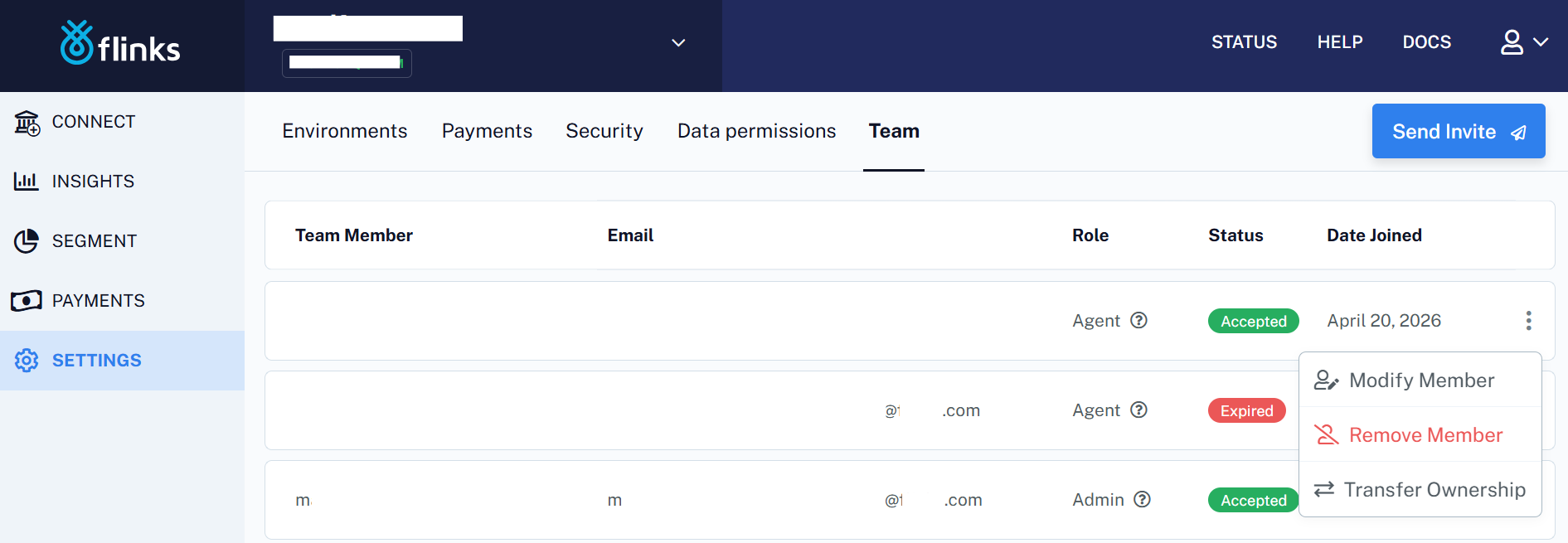
- Access the Client Dashboard
- Go to Settings > Team
- Choose a user and click on the 3 vertical dots.
- Click on "Remove Member"
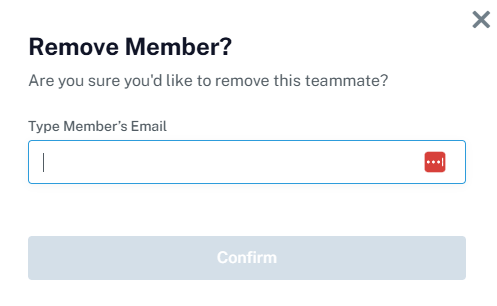
- Type in the member's email
- Click on "Confirm"
- If the action was successful, you will see a green modal on the page's top confirming the removal with the following text: "You have successfully removed a member"

Was this article helpful?
That’s Great!
Thank you for your feedback
Sorry! We couldn't be helpful
Thank you for your feedback
Feedback sent
We appreciate your effort and will try to fix the article